Screaming Frog and Semrush are both reliable search engine optimization tools, but they serve different purposes.
Screaming Frog is a website crawling tool used to identify technical SEO issues. Semrush is a comprehensive digital marketing and SEO tool that allows you to research keywords, plan content strategies, and more.
I use both platforms regularly—let’s take an in-depth look at how their functionality differs, and when you’ll want to use Screaming Frog vs. Semrush.
Screaming Frog vs. Semrush: Quick Comparison
| Screaming Frog | Semrush | |
| Best for | Technical SEO site audits, metadata analysis, robots.txt review, sitemap generation, crawl visualization, content readability analysis, broken link identification, redirect audits | Website audits, content audits, competitive analysis, keyword research, SEO performance issue identification, pay-per-click (PPC) research, content analysis, semantic keyword generation, local SEO, trend spotting, backlink analysis, report automation, and more |
| Used by | Technical SEO professionals | Technical SEO professionals, content marketers, digital marketing departments, small business owners |
| Key features | Customizable data extraction and visual crawl data | Large keyword database and competitor analysis tools |
| Free plan? | Yes, for crawling up to 500 URLs | Yes, with limits |
| Paid plans | Year-long licenses for $279 | Three plan tiers (Pro, Guru, and Business) starting at $117.33 per month when billed annually |
What is Screaming Frog?
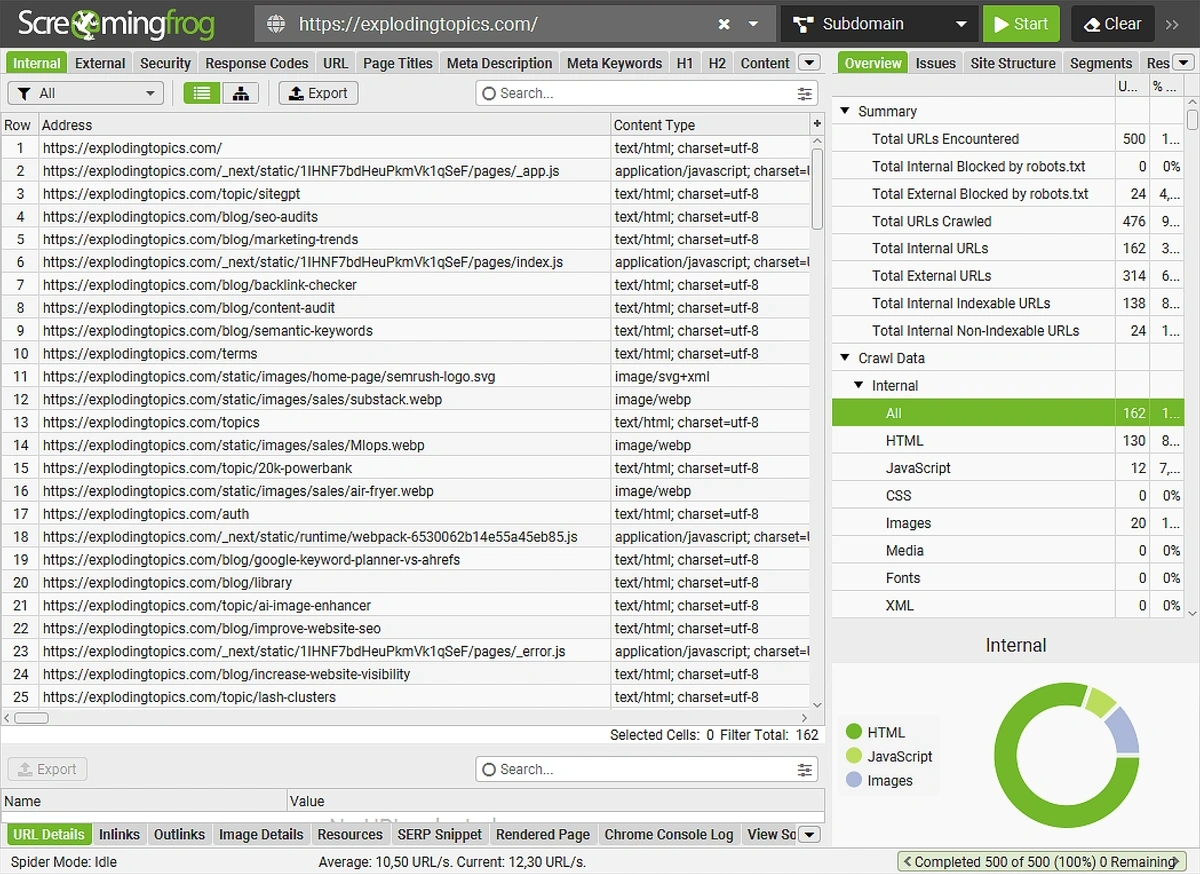
The Screaming Frog SEO Spider is a site audit tool that runs on your computer, not in a browser. It’s used to analyze single websites and identify technical issues—you can’t use Screaming Frog for keyword research or rank tracking.
When to use Screaming Frog
Screaming Frog offers a variety of technical SEO tools that are useful when you want to:
- Make sure search engines can access your sitemap.xml and robots.txt files
- Check page sizes and speeds
- Scan for thin or duplicate content
- Look for broken links
- Spot missing meta descriptions and titles
It’s important to note that no data from search engine results pages (SERPs) or AI searches shows up in Screaming Frog reports. You can only see what exists (or should exist) on the website you’re crawling.
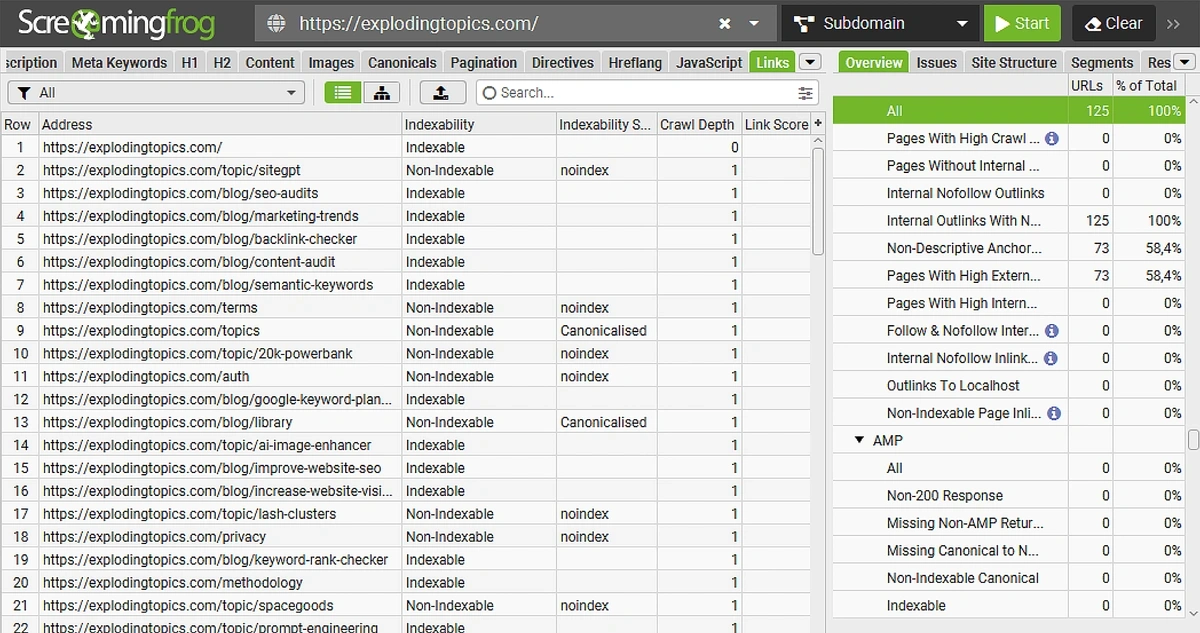
I personally find Screaming Frog most useful in the early stages of a technical website audit, as it lets me quickly identify issues with links, pages, and overall information architecture.
I also turn to Screaming Frog when I want to quickly analyze key metrics about a large repository of website content. I can easily see:
- Duplicate content issues
- Content readability
- Pages with thin content
- Missing or repeated H1s
Useful Screaming Frog Features
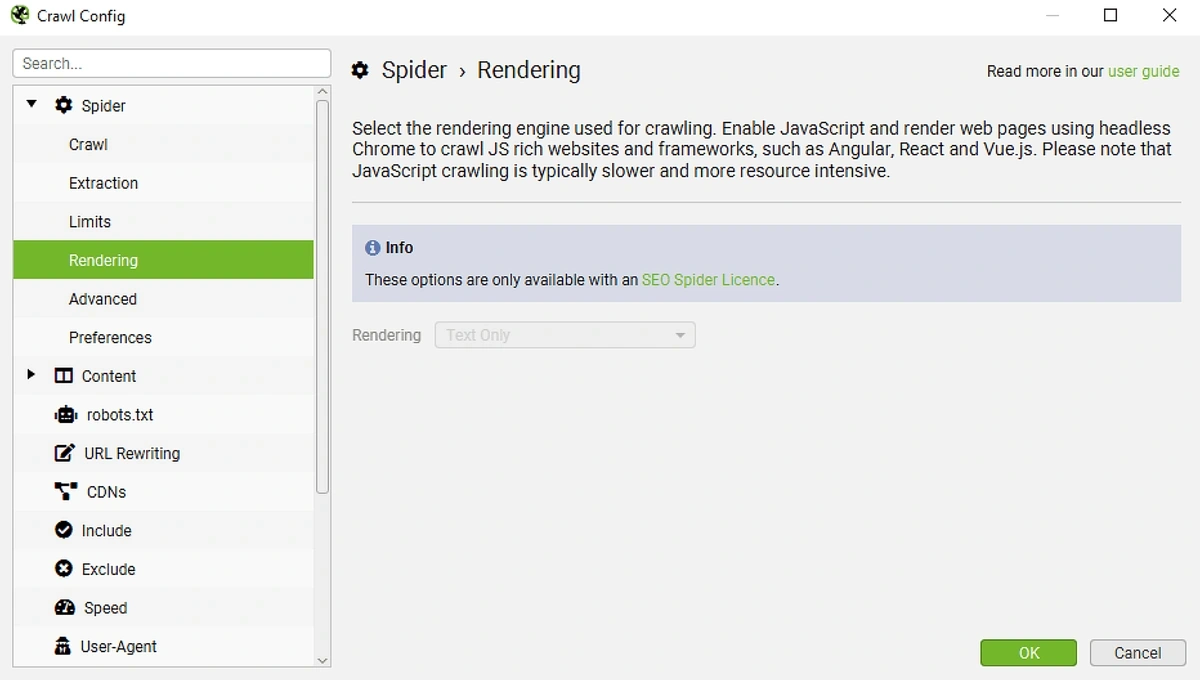
Many of Screaming Frog’s most useful and advanced features are found in the “crawl config” menu. This is where you can:
- Include or exclude entire subfolders
- Set a custom threshold for identifying duplicate content
- Switch between different crawl agents
- Create website segments to crawl
- Customize the end-of-crawl analysis
You can also use Screaming Frog to generate a visualization of any crawled website, which is a fantastic way to quickly analyze large website architecture.
Screaming Frog Pros and Cons
| Screaming Frog Pros | Screaming Frog Cons |
| Generous free version | Auditing large websites requires the paid version of Screaming Frog |
| Charts, graphs, and visualizations | Few in-app hints on how to use the tool |
| Spreadsheet-style interface | Rows of data may be confusing to new marketers and SEOs |
| Customizable crawls | No stylized report exporting options |
Screaming Frog Pricing
Screaming Frog is free to use on sites with fewer than 500 pages. To crawl more than 500 webpages, you’ll have to purchase a paid license.
Licenses cost $279 per user, per year. Volume discounts are available for teams of more than four people.
What is Semrush?
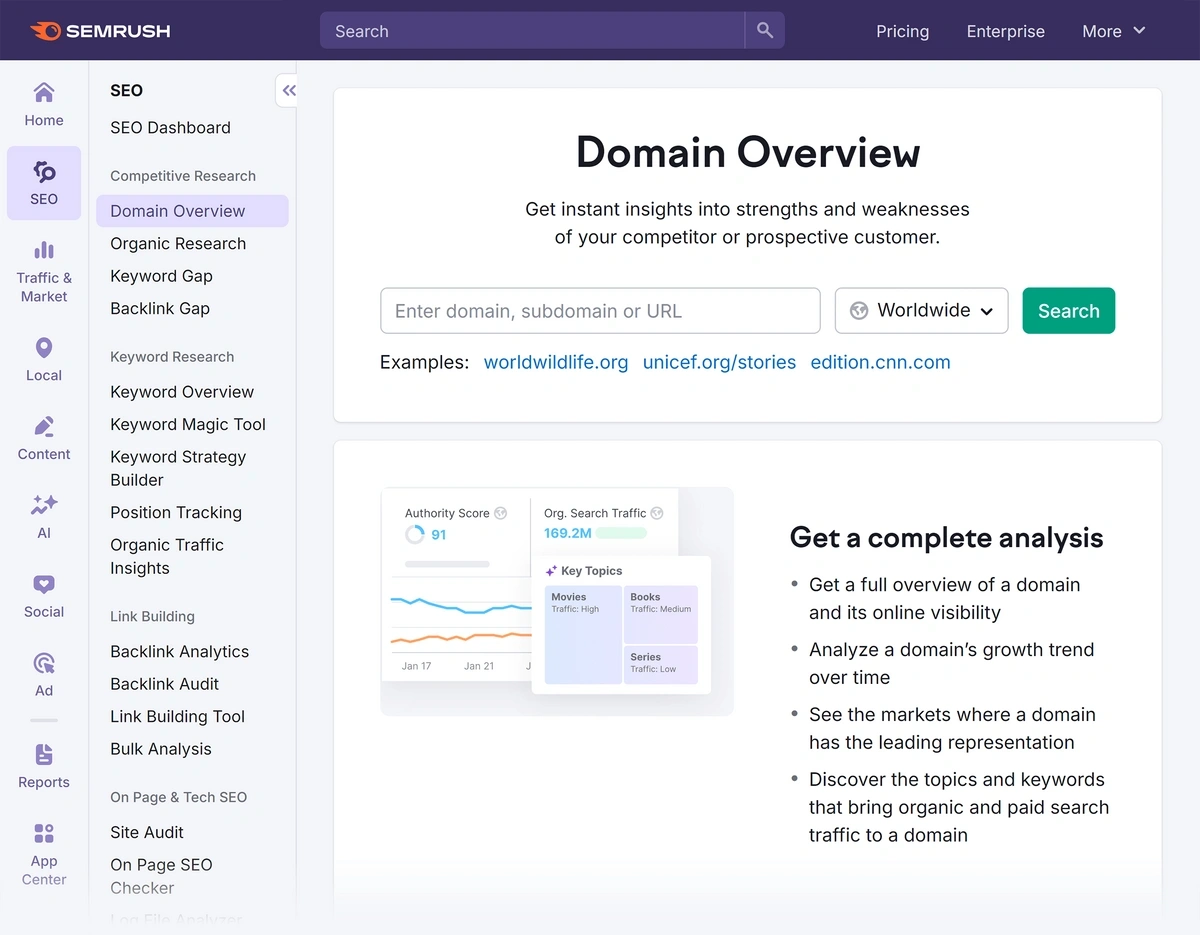
Semrush is an all-in-one SEO analysis, website auditing, PPC, and content marketing tool used by professionals and beginners alike.
When to use Semrush
You can use Semrush for nearly every aspect of your SEO workflow—from building a comprehensive SEO strategy to looking up the search volume for a keyword.
I recommend Semrush for anyone who wants to:
- Audit a website and get stylized reports (plus tips to improve your online presence)
- Identify off- and on-page SEO issues
- Conduct competitive research
- Improve link building strategies
- Find primary, secondary, and semantic keywords
- Write, edit, and analyze SEO content
- Manage local SEO citations and map listings
- Dig into trend forecasts for the coming year
In all honesty, you can run content and technical site audits using Semrush—without ever touching Screaming Frog.
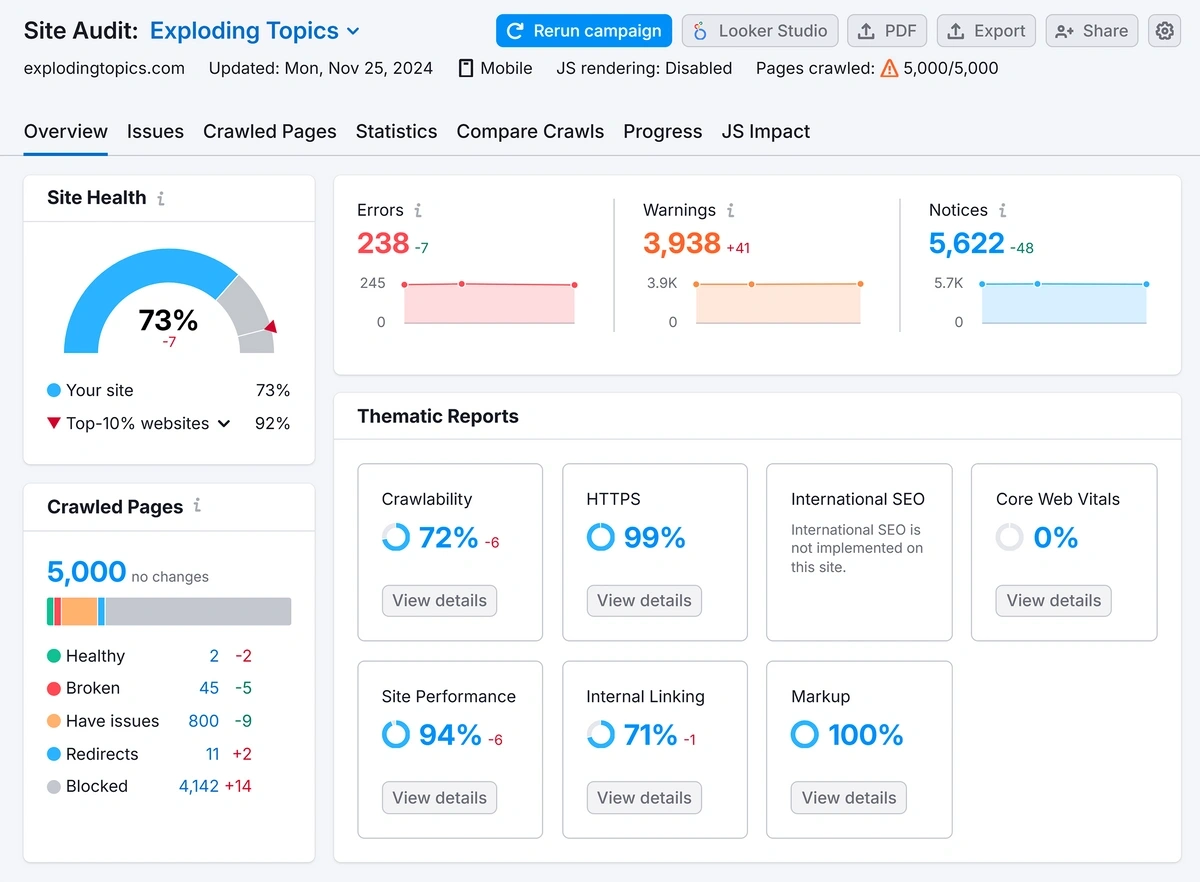
As an experienced SEO professional, I like to use both tools in tandem as there are ways I can quickly find specific information using Screaming Frog. But I always recommend that anyone who’s new to SEO or working in a busy marketing department use Semrush instead.
Useful Semrush Features
Semrush is full of features, and their team is always adding more. (Seriously—I use Semrush every day and I still notice new tools and data regularly.)
Some of the most useful Semrush SEO features are its:
- Dashboard with AI-powered optimization recommendations
- Actionable Site Audit reports
- Easy-to-read Keyword Magic Tool and Keyword Overview data
- Automated position tracking reports
- Keyword Strategy Builder for automatic keyword clustering
- SEO Writing Assistant for content optimization
- Link Building Tool for backlink outreach
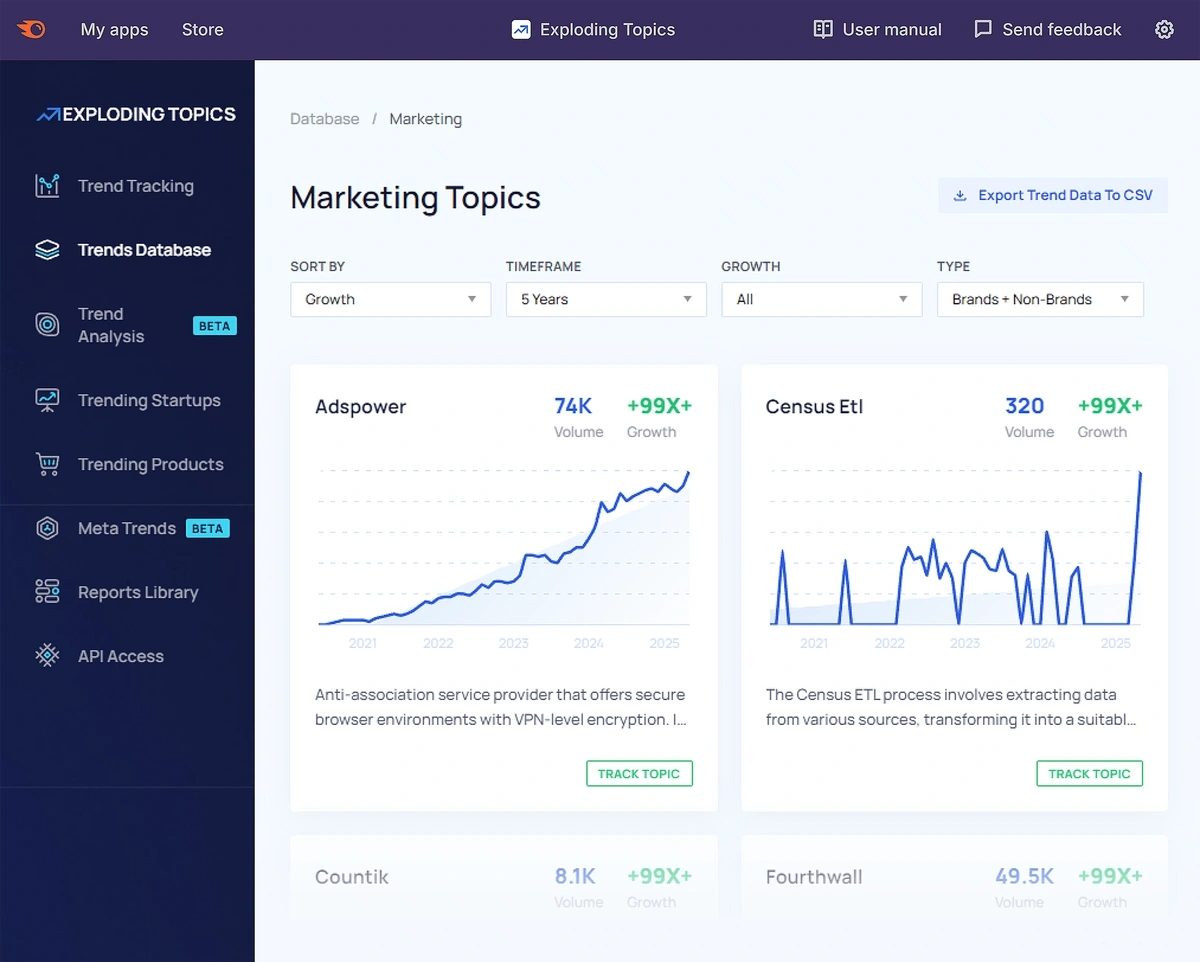
Semrush offers lots of other helpful tools, too, including ones for competitor analysis, social media management, and more. Plus, you can expand Semrush functionality through its App Center—that’s where you can find !
Semrush Pros and Cons
| Semrush Pros | Semrush Cons |
| User-friendly interface with helpful tips | Limited free plan |
| Historical keyword data | Paid plans start at more than $100 per user, per month |
| Trend forecasts (with Pro) | May include features you don’t need or use |
| App Center lets you easily expand Semrush functionality | |
| Easy link building tools | |
| Automatic content clustering | |
| Easy, customizable reporting tools |
Semrush Pricing
The free Semrush plan lets you research up to 10 keywords and crawl up to 100 URLs in a site audit every month. The free plan includes some other functionality, too, but to get the most out of Semrush you’ll need a paid plan.
Semrush offers three different plans to choose from:
- Pro for $117.33 per month when billed annually
- Guru for $208.33 per month when billed annually
- Business for $416.66 when billed annually
In addition, Semrush is now offering a bundle deal called Semrush One. This plan combines the best of the SEO toolkit with the AI toolkit, giving you the most comprehensive look at your site data for the best price.
Semrush One plans start at $165.17/month when you pay annually. An exclusive 14-day trial is available to give you more time to spend learning the features and how they can help your site. If you need to track SEO and AI analytics, this plan is the best value for your money.
You can add Pro on to any Semrush plan for an additional cost; access starts at $39 per month (billed annually).
The Verdict: Is Screaming Frog Better Than Semrush?
The main difference between Screaming Frog and Semrush is that Screaming Frog is strictly a website crawler, while Semrush is a multipurpose SEO tool. Both are a great choice for different SEO tasks.
(You'll find a similar verdict in our Screaming Frog vs Ahrefs review.)
If you’re experienced in SEO or website development and need to scan your site for some errors or get a picture of the sitemap, then Screaming Frog will serve your needs well.
But if you’re newer to SEO or your specific needs extend beyond checking the technical elements of your site, you’ll want to use Semrush. One Semrush subscription gives you access to tools that help with nearly every important aspect of digital marketing.
Plus, Semrush is unique in that you can use its keyword tools to see historical data, then pull up to see how audience interests and searches might change in the future.
Try it out for yourself now for free—our exclusive coupon code activates a 14-day free Semrush trial, and you can add a seven-day free trial of Pro on at the same time.