Understanding the trends that are shaping your industry is useful whether you're trying to develop new products, launch an e-commerce store, build topical authority, or create content.
Inlinks Market Trends and are two tools that allow you to search industry topics and view associated data like search volume, trend popularity, and related topics. But the two apps are quite different — this guide will walk through what you need to know about both platforms so you can make the right decision for your budget and projects.
What is Inlinks Market Trends?
Inlinks is a semantic search engine optimization (SEO) tool that helps marketers identify what entities, or topics, their websites are associated with. You can also use the tool to help generate schema for your webpages — a functionality that's useful for SEO.
The platform's Market Trends feature is yet another way to access the platform's topic data, but presented in a way that's likely to be more useful to non-SEO professionals. When using Market Trends, you can browse popular topics in different industries, see related questions, and evaluate search volume for different topics.
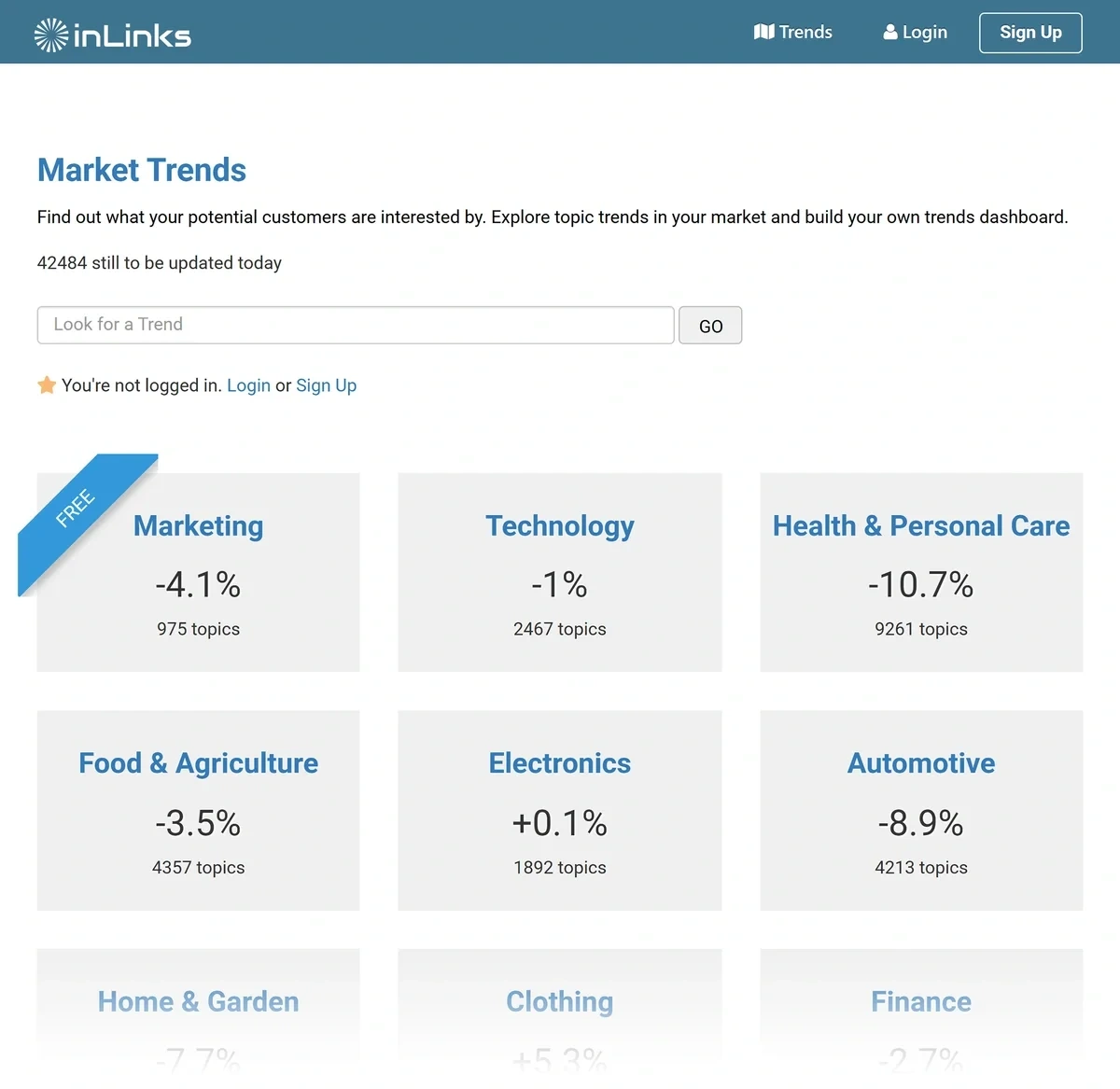
Where Does Inlinks' Data Come From?
Inlinks Market Trends appears to use data similar to that found in Google Trends — and the company gets its SEO information via scraping Google search engine results pages (SERPs), too.
How Much Does Inlinks Market Trends Cost?
Inlinks' Market Trends data is available to subscribers with an Agency or Enterprise plan; pricing starts at $196 per month. This price also gives you access to other Inlinks SEO features including content optimization tools, API access, and unlimited user seats.
What is ?
is a tool for spotting and tracking emerging trends. The platform is entirely trend-focused (unlike Inlinks' primary focus on SEO). The platform is useful for:
- E-commerce product development and marketing
- General digital marketing across B2B and B2C industries
- Startup research
- Amazon pricing strategy planning
- TikTok trend discovery
You can choose to browse the database on your own or read trend reports that feature in-depth, expert analysis of the topics you should know about right now.
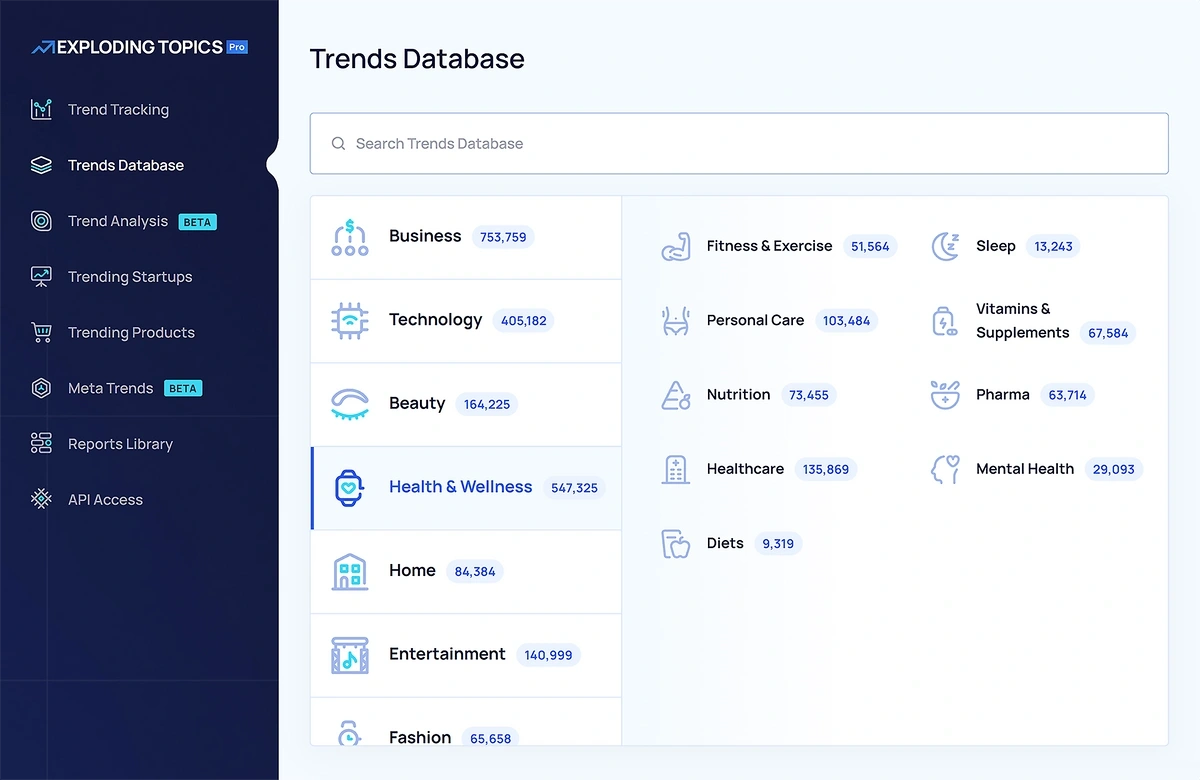
Where Does Data Come From?
gets its data points from a wide range of sources, including:
- Online forums
- Blogs
- News outlets
- Social media platforms
The company uses a mix of machine learning (to gather and initially sort data) and human expertise (to confirm and refine) to prepare its trend database and reports.
How Much Does Cost?
is free to use, but you'll be limited to basic trend information. An Pro subscription gives you access to more in-depth data, trend forecasts, additional expert reports, product lists, and more. Paid plans start at $39 per month when billed annually.
Which Platform Shows You More Trending Topics?
has a larger trend database than Inlinks Market Trends. For example, Inlinks offers access to 975 marketing industry topics, while has data on over 36,000 marketing trends.
offers more trend data across other industries, too. The following table shows how the two platforms' topic counts differ across select industries at the time of writing:
| Inlinks Market Trends | ||
| Technology | 209,610 | 2,467 |
| Clothing | 25,854 | 791 |
| Automotive | 17,626 | 4,213 |
| Health / Wellness / Personal Care | 297,311 | 9,261 |
| Games | 7,245 | 1,090 |
also offers more industry categories to review than Inlinks Market Trends. The database organizes topics into over 65 industries, while Inlinks offers 12 categories.
What Data Can You See Using Inlinks Market Trends and ?
Clicking on a trend within a category gives you different information on each platform, too.
How Inlinks Presents Search Trends
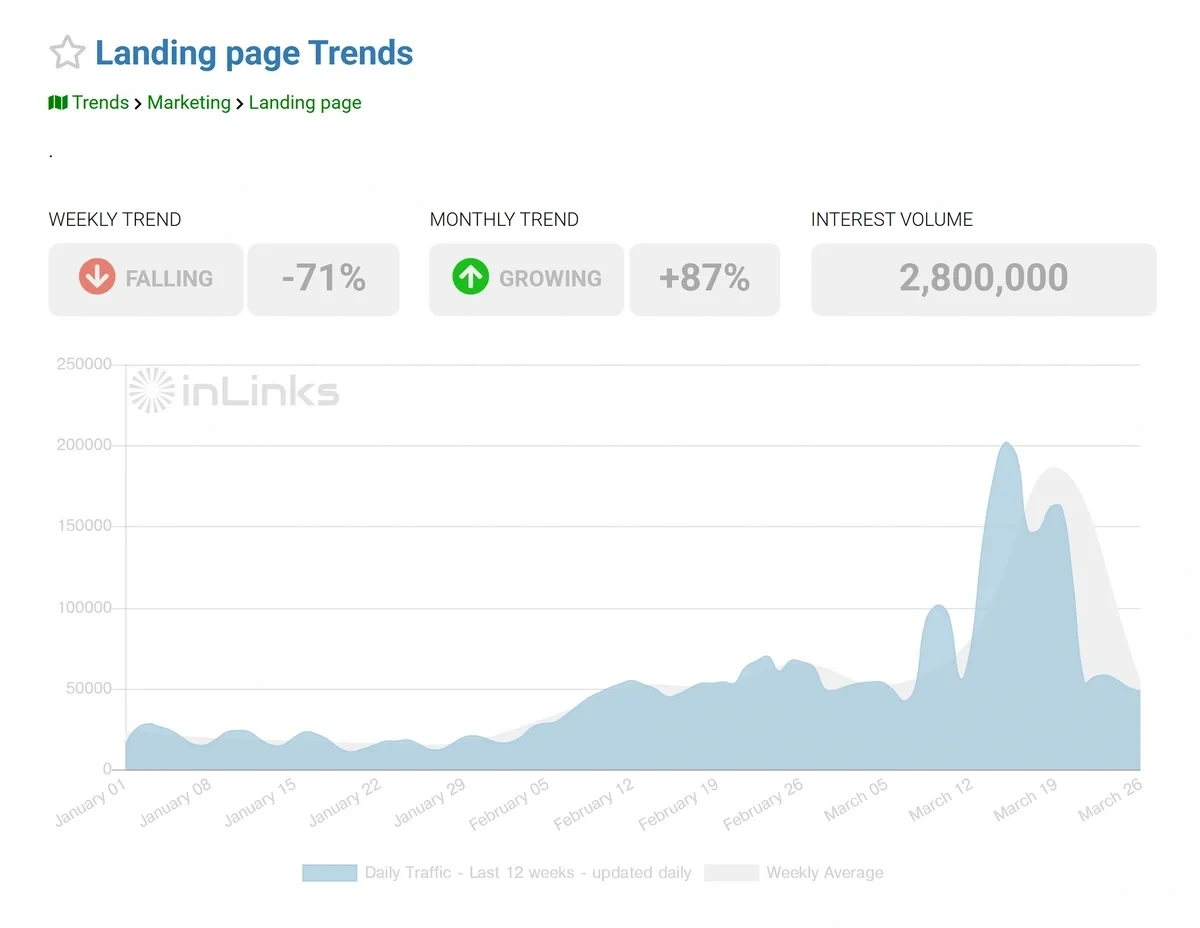
Inlinks' trend features are limited. (The app's features are mostly focused on SEO tools and techniques.) When you look up a trend in the Inlinks database, you'll see information including:
- Trend popularity changes over a month and a week
- Total search volume for the trend
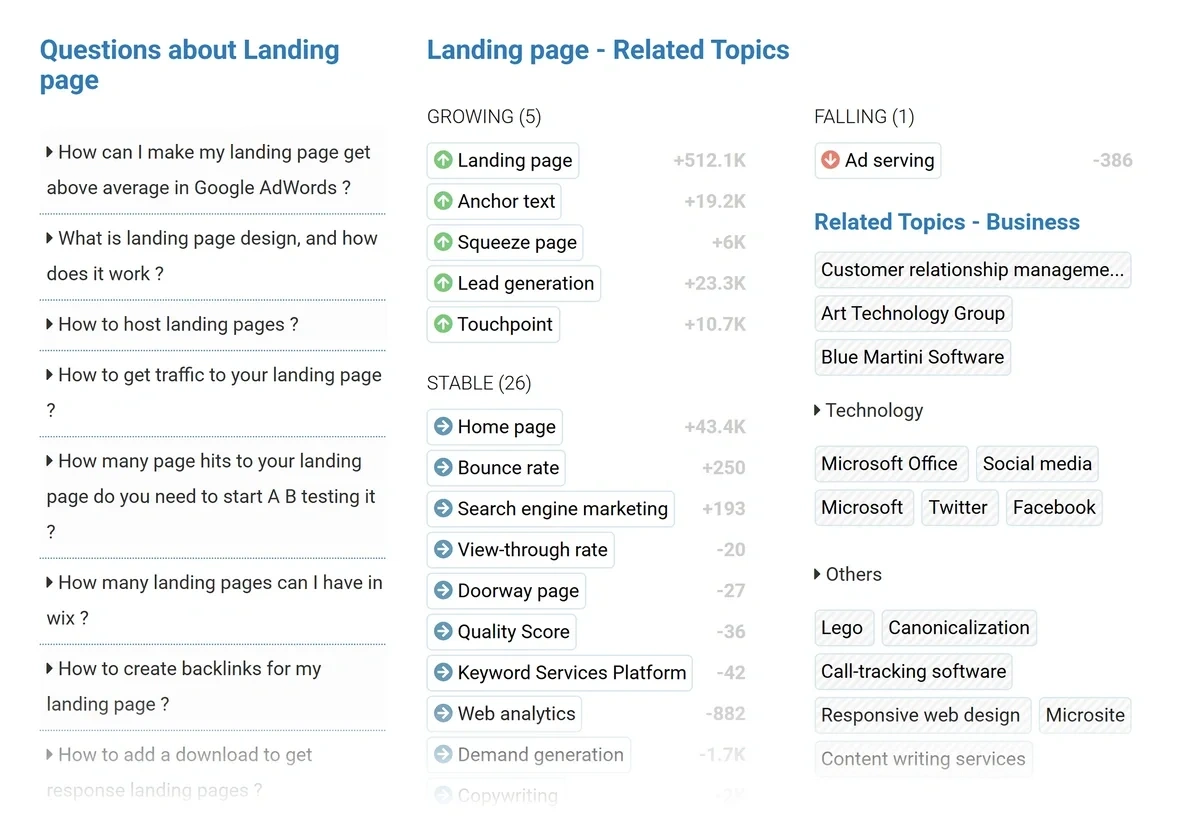
- Related topics
You can also see search questions related to each trend, which is useful for content creation purposes.
Tip: If you're interested in Inlinks' SEO features, but like the breadth of the database, give Semrush One a try. works as an app inside of Semrush, so you can easily add on Semrush's SEO toolkits and see keyword data, questions, AI search data, competitor names, and more.
[cal:comp_keywords]
How Displays Trend Metrics
Every trend detail page includes information about:
- Total search volume
- Change in search volume over time
- What the topic means or relates to
- Which social media channels are popular discussion spots for this topic
- Whether the trend is growing or slowing down
- Trend seasonality, volatility, and sentiment
- Future trend fluctuation forecasts
- Related trends
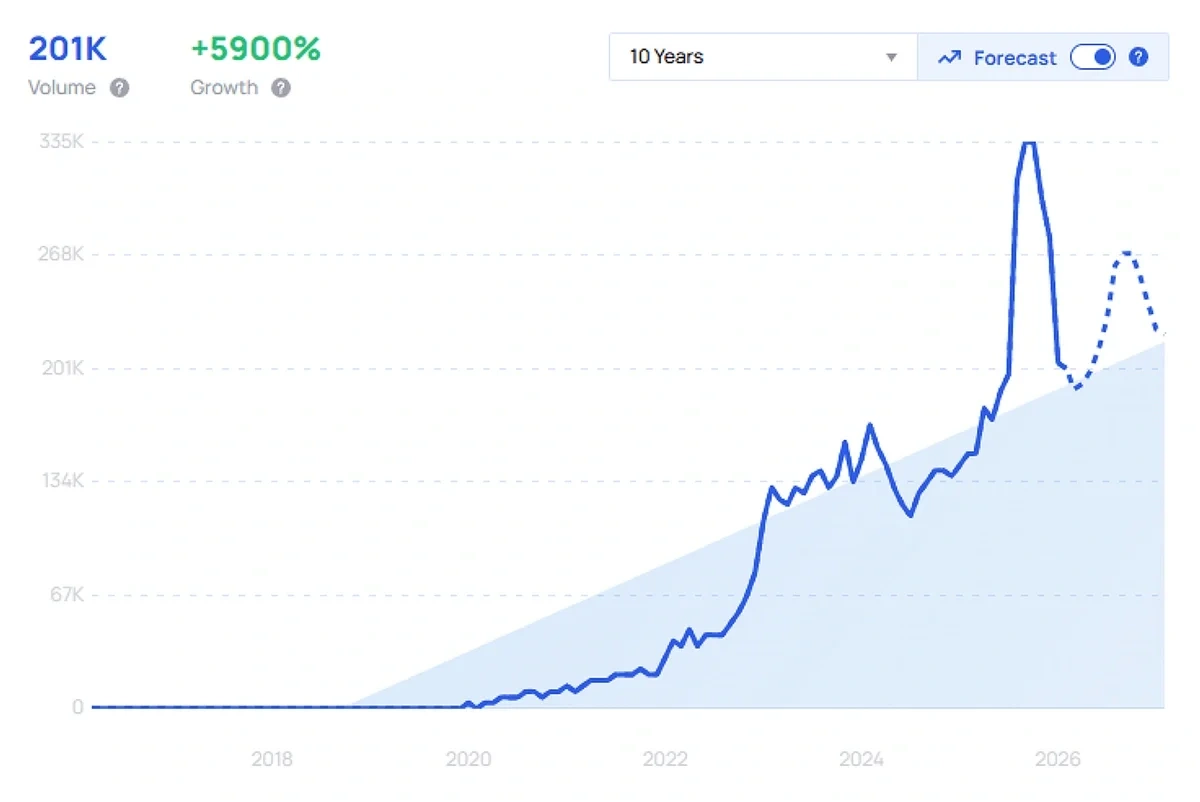
You aren't limited to the trend database, either. With an Pro plan, you can also:
- Browse top TikTok trends
- Review Amazon product pricing and trends
- Explore meta trends reports to see how trends connect to each other
- Read past trend reports prepared by ' team of experts
When to Use Inlinks Market Trends vs.
| If you want to... | Then try using this research tool... |
| Improve your website schema and links automatically while conducting limited trend research | Inlinks |
| View lists of search questions related to specific trends | Inlinks |
| Browse extensive trend databases across multiple industries | |
| Explore connections between new trends | |
| View current trends on TikTok | |
| Develop new product ideas based on existing product trends | |
| Read trend analysis and reports prepared by experts | |
| Track trend performance across different social channels | |
| See how interest in a trend is expected to change over the coming year | |
| Analyze competitors and see how they're responding to specific trends | + Semrush One |
| View related keywords and difficulty (not just changes in trend interest) | + Semrush One |
My verdict: Most people will get the biggest benefit out of using for trend spotting. While Inlinks' Market Trends feature is a nice add-on for people who primarily need Inlinks' other SEO features, their database simply isn't as large as what offers. I have personally tried paid versions of both Inlinks and over the past few years, and I decided to stick with (plus Semrush for my SEO data needs).
You can give my setup a try, too. Sign up for a free seven-day trial of Semrush One, then add on seven days of Pro for free, too. This is the easiest way to explore the information that you can get from these two tools combined — and see how well it can support your work!