Google Keyword Planner and Ahrefs are two search engine optimization (SEO) tools often recommended for beginner marketers. While it’s possible to get great keyword ideas using either platform, there are distinct limitations to both.
Making the right choice between Google Keyword Planner and Ahrefs is important if you want to see long-term SEO success.
Key Differences Between Google Keyword Planner vs. Ahrefs
The biggest difference between Google Keyword Planner and Ahrefs is that Google Keyword Planner is strictly a research tool, while Ahrefs lets you research and track specific terms.
How the two platforms source their data is also different.
Google Keyword Planner data comes from Google Ads. When you use the tool, you’re technically seeing information related to pay-per-click (PPC) keywords and searches.
Ahrefs, on the other hand, collects data from multiple sources: their own search crawlers, Google Keywords Planner, Google Trends, Google Search Console, and more.
Google Keyword Planner and Ahrefs also differ in terms of price. Google Keyword Planner is a free tool, while Ahrefs paywalls many of its features.
That said, Ahrefs offers a free plan that is suitable for many small business owners and marketers.
Google Keyword Planner vs. Ahrefs At a Glance
| Google Keyword Planner | Ahrefs | |
| Data Source | Google Ads | Ahrefs crawlers, Google |
| Best For | PPC ad campaigns, light SEO research, low-competition keyword suggestions | Intensive SEO and PPC keyword research, low-competition keyword suggestions |
| Additional tools | Google Ads planner | Site audit, competitive analysis, brand monitoring, backlink analysis, rank tracking, local SEO strategy, and AI content assistant tools |
| Popularity | 23% growth in interest over the past 10 years | 1,417% growth in interest over the past 10 years |
| Pricing model | Free | Paid (free version available with limitations) |
| Primary audience | Search engine marketing (SEM) professionals, business owners | SEO professionals, SEM professionals, business owners, digital marketers |
How to use Google Keyword Planner for SEO Research
Using Google Keyword Planner for SEO research is simple—it only requires a free Google Ads account. You don’t need to pay for any ads to use the tool.
When using the Keyword Planner, you’ll have the option to start your search with a term or a website domain.
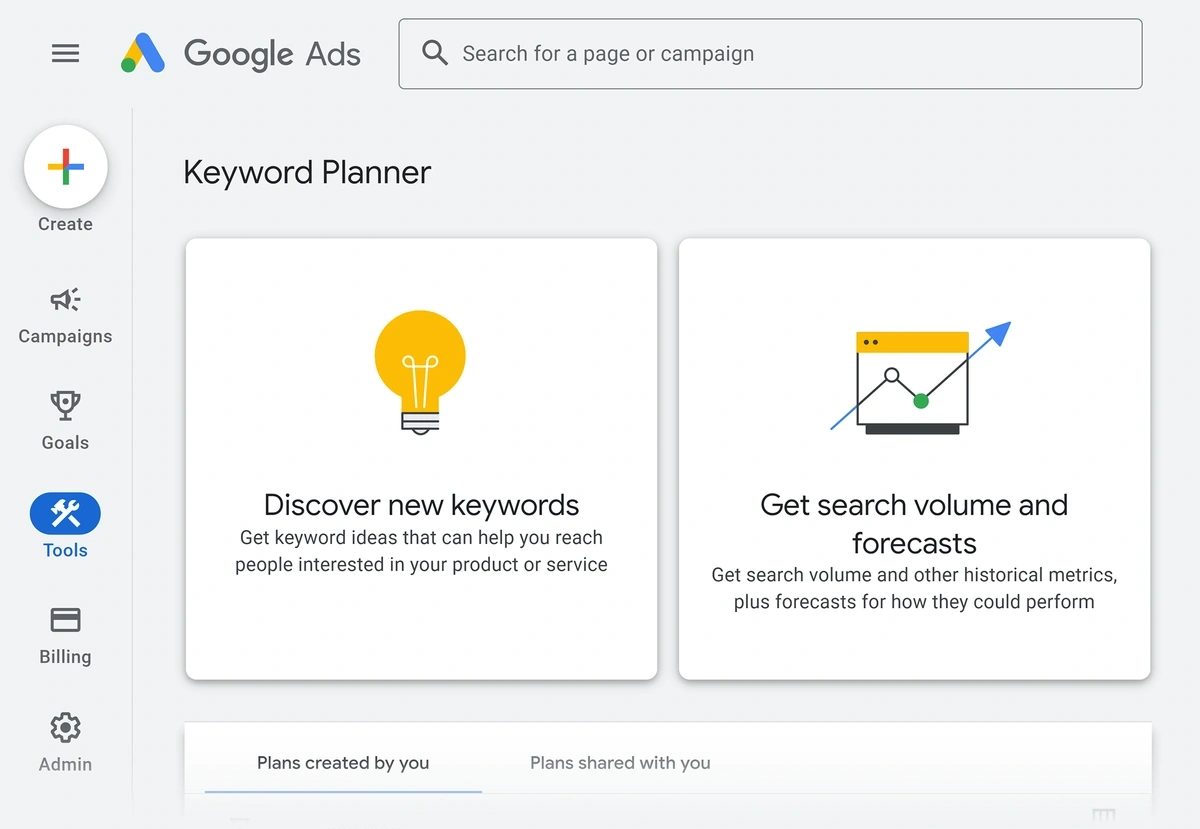
Term-Focused Keyword Research
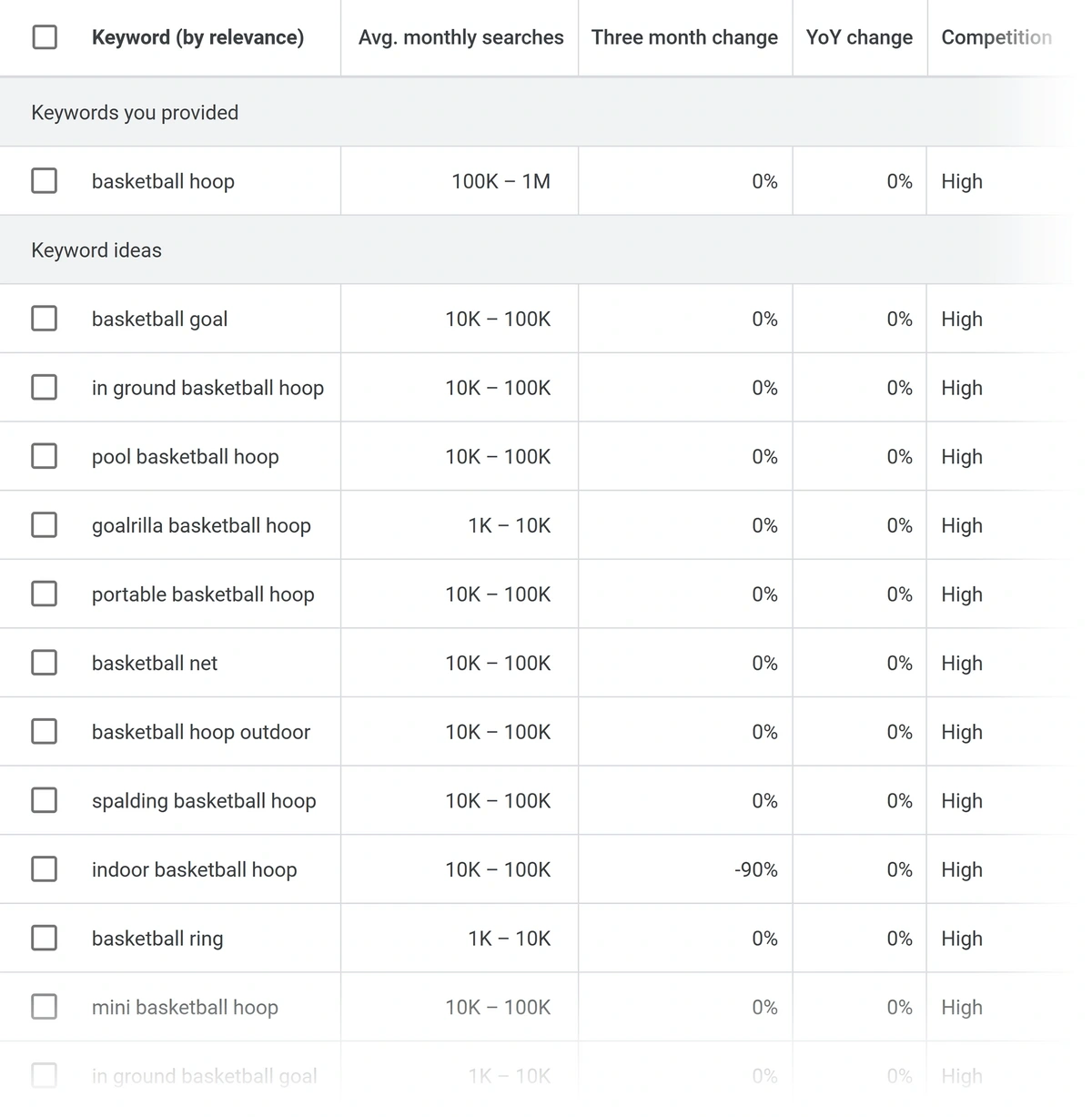
Type any target keyword of interest into Google Keyword Planner to generate a list of related terms.
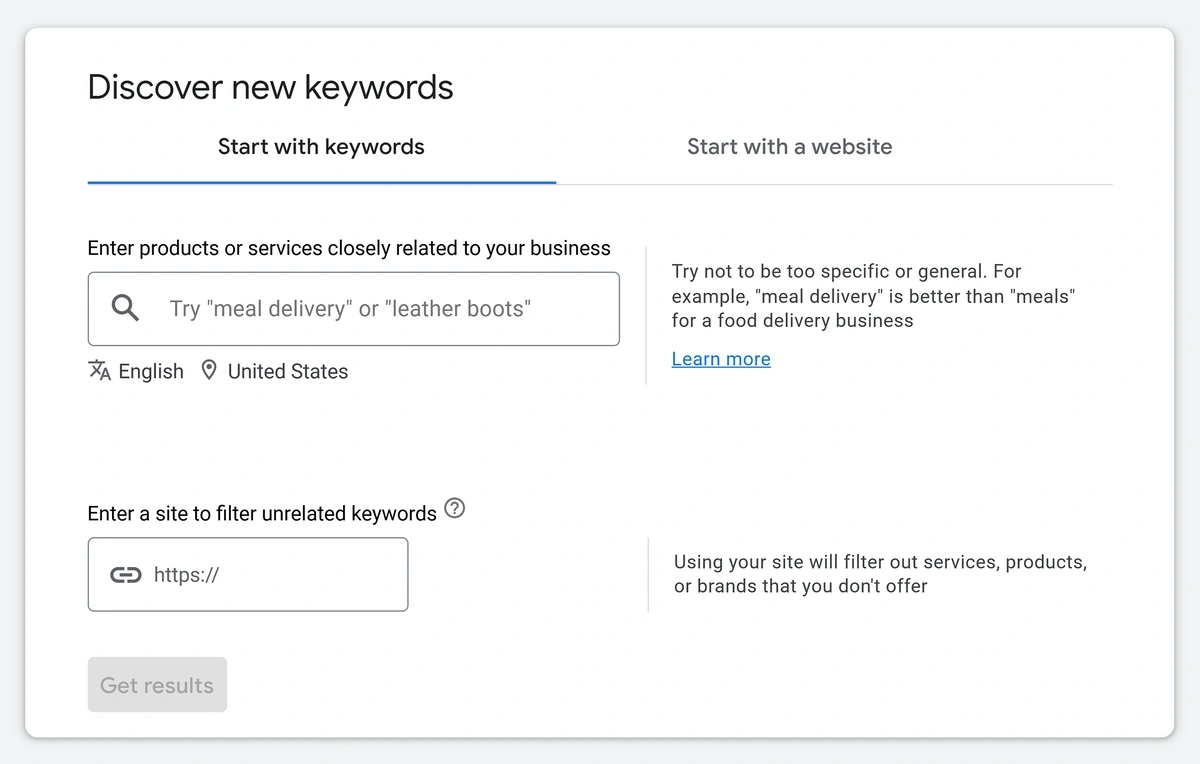
You’ll be able to see valuable insights that include:
- Average monthly search volume data
- Rate of change over three months
- Year-over-year change
- Competition (keyword difficulty) level
- Ad impression share
- PPC bid ranges
To make your results more accurate, you can add your domain each time you run a keyword search. This will remove any keywords that are unrelated to your products, services, or content.
You can also transfer keywords to a "Forecast" report. These reports give you added information, including the expected popularity of a term in the future. A forecast report also lets you see:
- Keyword search volume by location
- Expected device usage by searchers
- Popularity by location
Using Google Keyword Planner in this way can help you find the best related keywords to use for SEO and other digital marketing campaigns.
Tip: Searching for product-related terms in Google Keyword Planner gives you insights around what customers are interested in, including sizes, colors, and more.
Website-Focused Keyword Research
You can also generate lists of keywords using your website—either the entire domain or a single page.
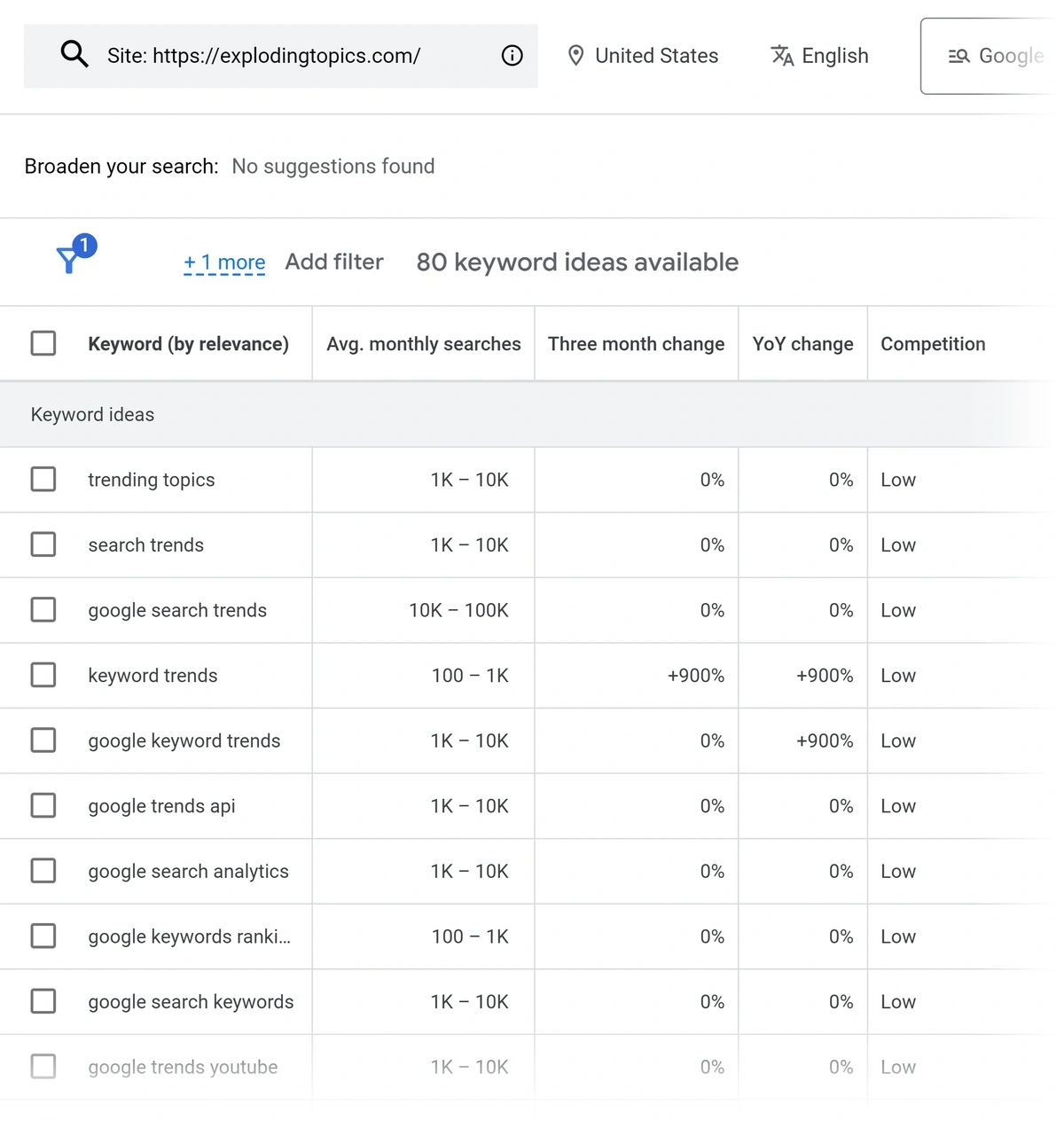
You’ll get a list of keywords related to your site, though Google Keyword Planner won't show you how your site ranks for these terms. (To see position information, you’ll need to use a tool like Ahrefs or Semrush.)
Tip: If you need to see basic keyword metrics quickly, try our free keyword research tool! It’ll show you related terms, search volume, competition levels, cost-per-click (CPC), total results, and trend patterns.
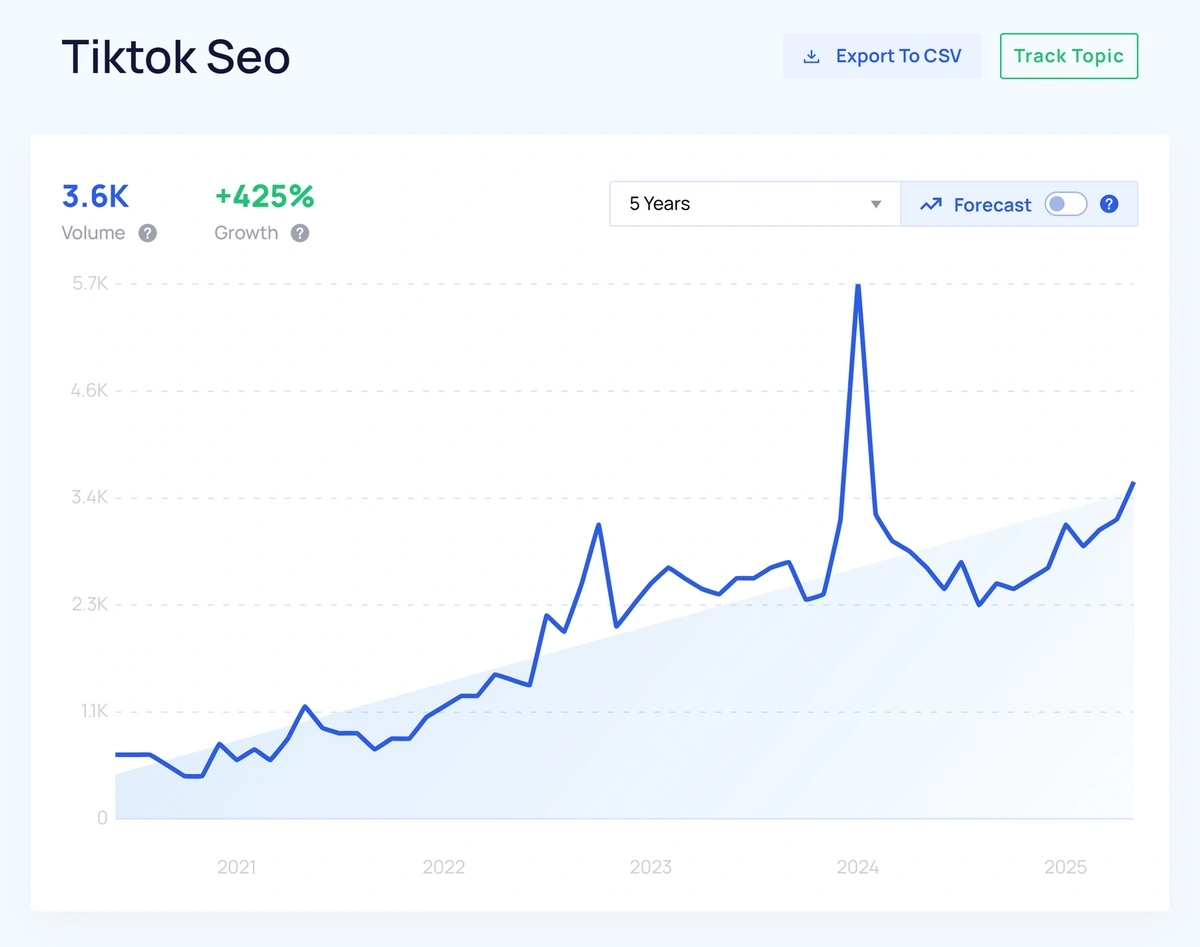
Remember, though, that Google Keyword Planner shows you data specific to Google searches. It doesn’t reflect the popularity of different terms across social media or other platforms. To see that, you’ll need a tool like .
shows you historical trend data from the past 15 years as well as projected popularity forecasts. We maintain a database of notable topics, but you can also search for any term with our trend analysis tool.
One Big Problem With Google Keyword Planner
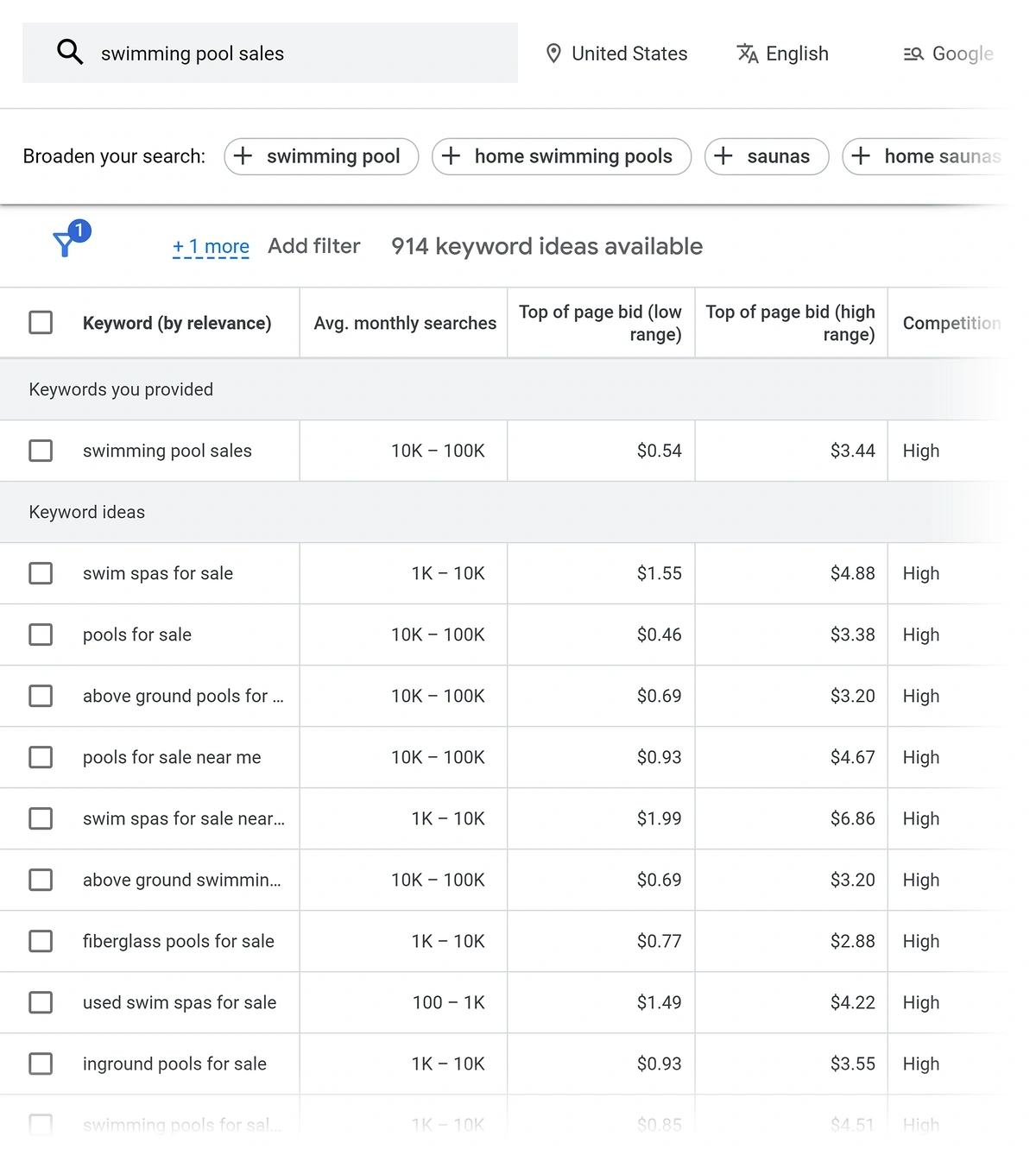
Because Google Keyword Planner is a PPC tool, the competition scores it shows are for paid ads. That's fine if you're planning an ad campaign — and if you are, we suggest using the free Google Ads competitor analysis tool.
The issue for SEO purposes is that it's possible for a keyword to have a high PPC competition rate and a low organic search difficulty score at the same time.
Let’s use the term “swimming pool sales” as an example. I’m writing this in May, so summer vacation and swimming pool days are on people’s minds. From a paid ads perspective, this is a highly competitive keyword. I might have to pay over three dollars per click to run an ad for this term.
But the same term has a low keyword difficulty score for organic search, as we see in this screenshot from the Semrush Keyword Overview tool:
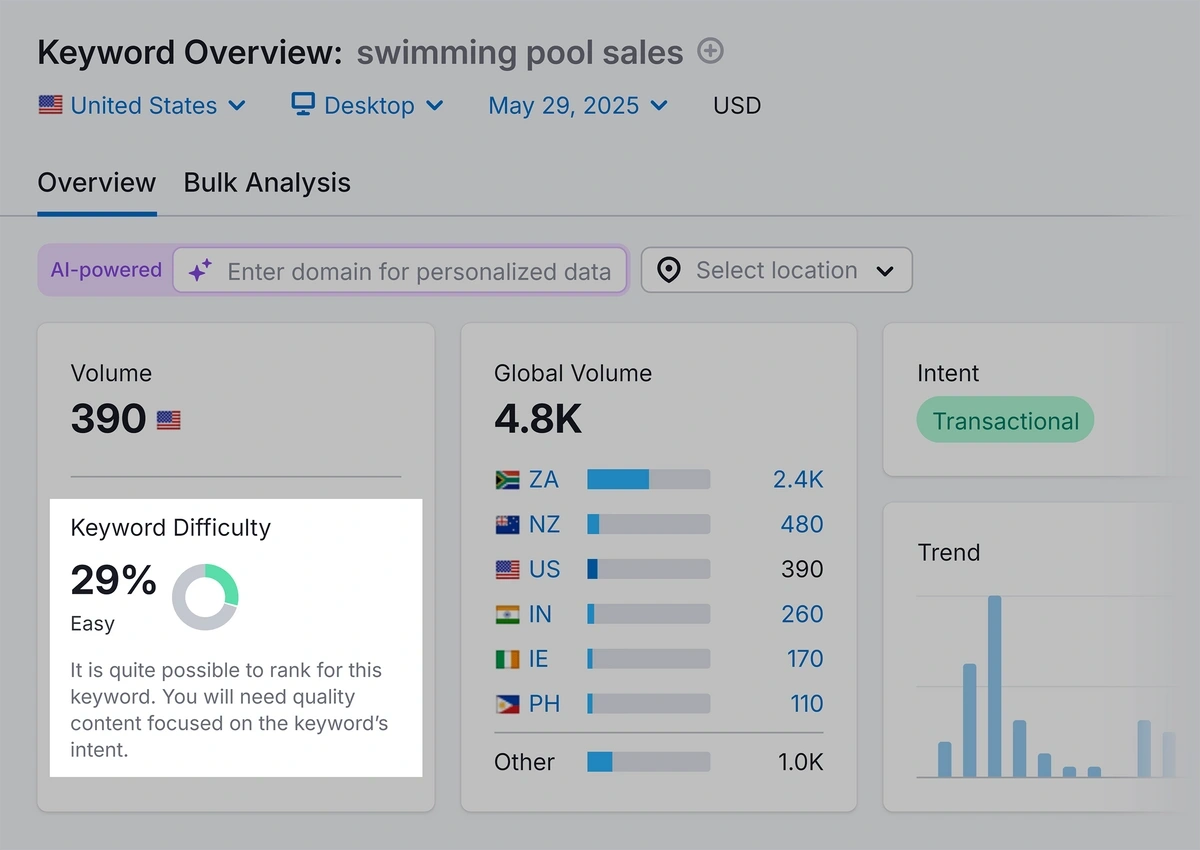
We can also see that the organic search traffic for “swimming pool sales” is lower than the paid ad traffic reported by Google Keyword Planner. That's not necessarily a bad thing, though, and helps to make the keyword less competitive.
If I were using Google Keyword Planner alone, I might skip this keyword and leave it out of my SEO strategy. That would be a mistake! The organic keyword data indicates that I could reasonably rank my website for this term through targeted content marketing or local SEO efforts. If I ignored the keyword, I would miss out on connecting with (and selling to) new customers.
Google Keyword Planner Pros and Cons
| Google Keyword Planner Pros | Google Keyword Planner Cons |
| Free | Limited functionality |
| Shows actual and projected keyword data | Technically meant for PPC, not organic SEO research |
| Quickly generates lists of related terms | You may have to sift through PPC data that’s unrelated to your SEO needs |
| Allows you to scan for keywords related to your site | Data comes from a single source (Google) |
| Reported PPC keyword data may not match organic search volume and competition |
How to use Ahrefs for SEO Research
You can use Ahrefs to research keywords and track your site’s rank for those terms all in one spot.
Searching for Keywords Using Ahrefs
The Ahrefs Keyword Explorer tool provides far more detail about search terms than Google Keyword Planner. (Ahrefs is more comparable to a tool like Semrush.) You can use Ahrefs to find both short- and long-tail keywords.
Using the Keyword Explorer is simple—type in one or more search terms to begin your research.
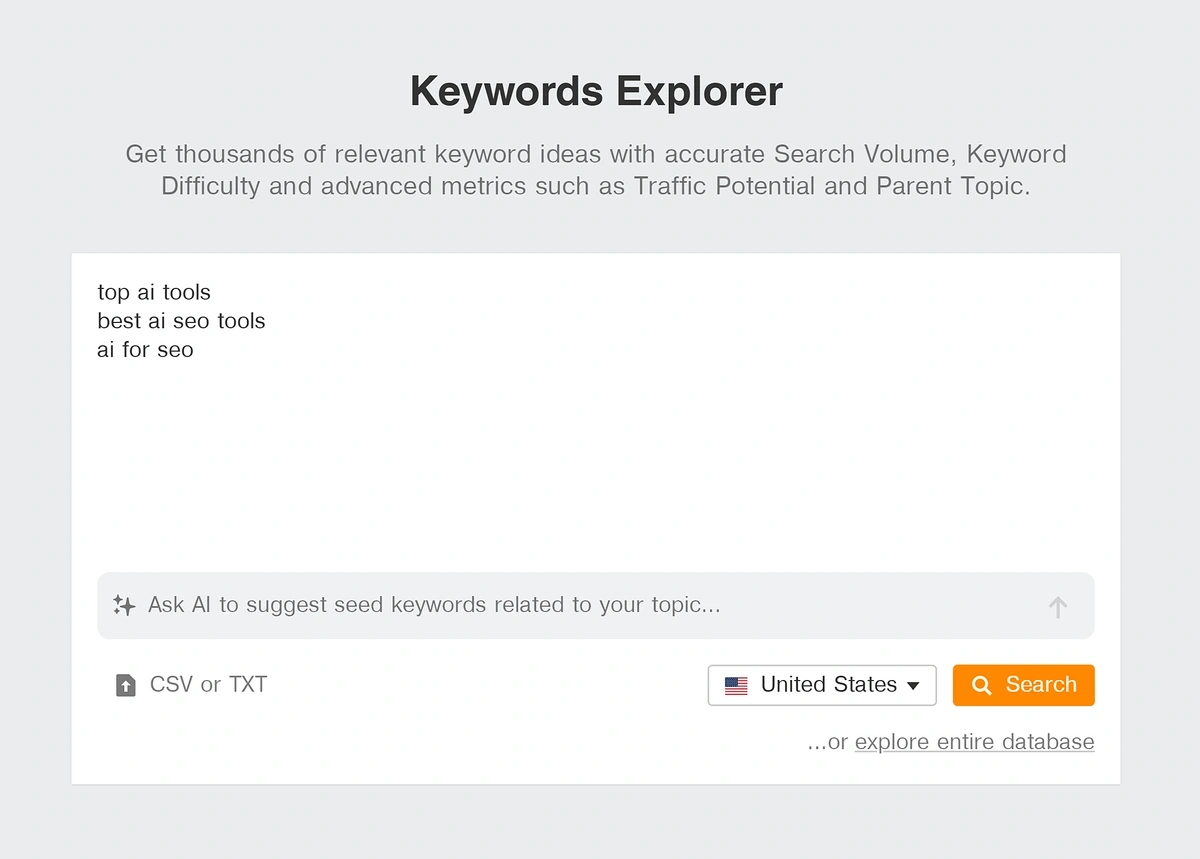
The resulting list will show you key metrics about each term, including:
- Search intent (the goal of the searcher)
- Keyword search volume
- Competition (difficulty)
- Popularity trends
- Related topics
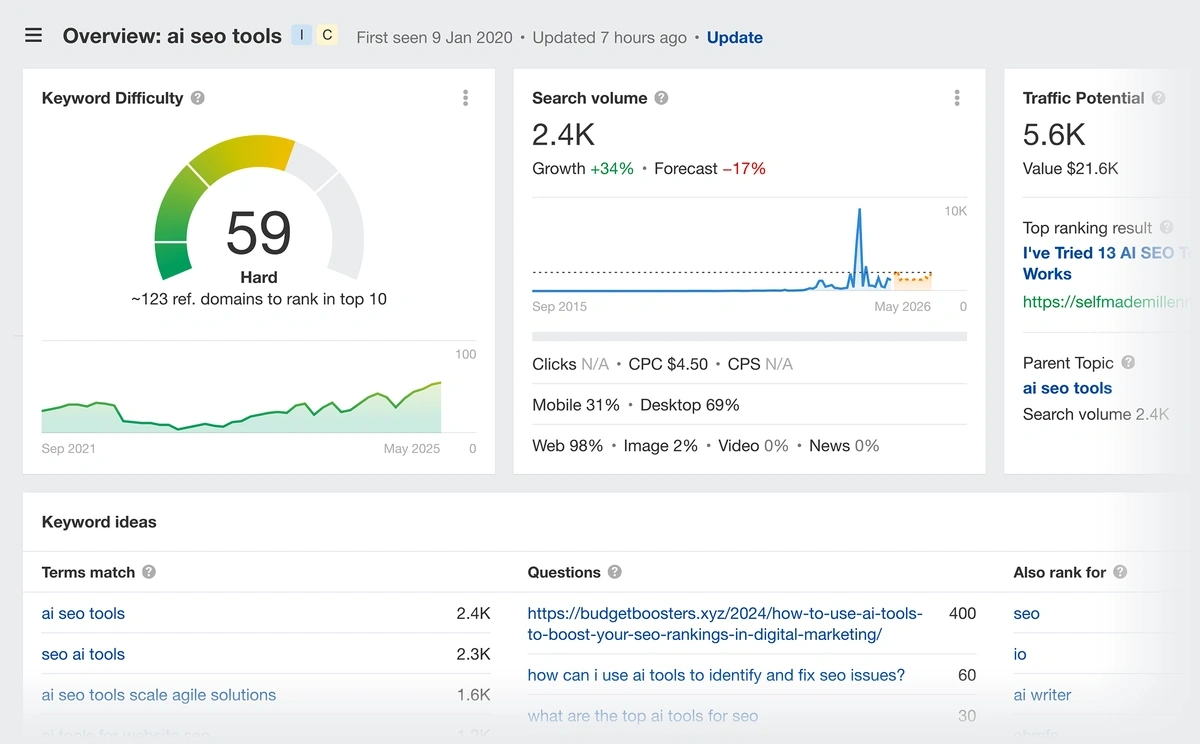
Individual keyword detail pages use a colorful chart that shows you specific keyword difficulty and competition rates. This differs from Google Keyword Planner, which merely states a keyword is low, medium, or high competition.
Tracking Keywords in Ahrefs
You can save any of the keywords you research in Ahrefs and add them to a position tracking list. When combined with the keywords your site already ranks for (which you can also identify using Ahrefs), you’re able to better quantify the impact of your SEO efforts.
The ability to track and measure position changes is essential when you’re developing and monitoring an SEO strategy. This is why I always recommend that anyone who’s serious about their SEO performance invest in a paid tool like Ahrefs or Semrush. Google Keyword Planner alone won’t cut it.
Ahrefs Pricing
Unlike Google Keyword Planner, Ahrefs is not a free tool. The company does offer a free plan that lets you monitor the health of your website and its status in the search engine results page (SERP), but you can't conduct any keyword research.
To get the most out of Ahrefs, you need a paid plan. Options start at $108 per month when billed annually.
Ahrefs Pros and Cons
| Ahrefs Pros | Ahrefs Cons |
| Highly detailed keyword research results | Limited free use |
| Easy competitor analysis | Paid plans can be expensive |
| Separate organic SEO and PPC metrics | Interface may be overwhelming for new users |
| Additional tools for site auditing, backlink auditing, content optimization, and more |
FAQ
How Reliable is Google Keyword Planner?
Google Keyword Planner is a reliable way to look up PPC keyword data, as it pulls its information directly from the Google search engine and ads platform. It’s a good way to get the general feel for the organic search landscape—but some keywords will have very different organic vs. paid search volume and competition rates.
Is Ahrefs’ Search Volume Data Accurate?
Yes, Ahrefs is a reliable source of keyword information. An Ahrefs report indicated that their search volume data was “roughly accurate” over 60% of the time, while Google Keyword Planner “drastically overestimated” search volume over 50% of the time.
That said, it’s important to note that all keyword traffic metrics are ultimately an estimation. Tools like Ahrefs use various crawlers and data sources to compile the most likely search traffic and competition rates, but these can change over time.
What Other Tools are There for Keyword Research?
Google Keyword Planner is one of the few Ahrefs alternatives that is completely free. Ahrefs and Semrush offer free plans that allow you to use a portion of the tool’s features at no cost. Many other SEO tools, like SE Ranking, require a paid plan at signup.
What to Consider When Choosing a Keyword Research Tool
It’s important to consider long-term goals when evaluating the best keyword tool for your needs. If you’re interested in short-term ad campaigns or checking keyword volume at one spot in time, then Google Keyword Planner will serve your needs well. But if you want to improve your site’s SEO over the long term, you’ll be better served by Ahrefs.
You’ll also want to consider the metrics that are important to your work. Google Keyword Planner shows you basic rank and competition data, but it doesn’t break down the search engine results page (SERP) landscape for you. And neither Google Keyword Planner nor Ahrefs can currently show you multichannel trend data and where your site stands in ChatGPT results.
You can see all this data—SEO, PPC, LLM, and trend forecasts—in one spot when you use a combination of Semrush and . Semrush offers a generous free plan, but you can also grab an extended 14-day free trial using our exclusive coupon code. Add on a free seven-day trial of Pro at the same time to unlock an amazing level of data—and see exactly how much more you can do with the right SEO tools.